Claim Insight 2.16.0: New Remittances View and Expanded 835 Analytics
Version 2.16.0 of Claim Insight makes it easier to investigate remittances and understand payments by service type. Explore the new 835 Remittances view, file list filters, and procedure category filters and dashboard breakdown. This release also improves claim search and sorting on large datasets, with new help and documentation to guide your work.
New 835 Remittances View
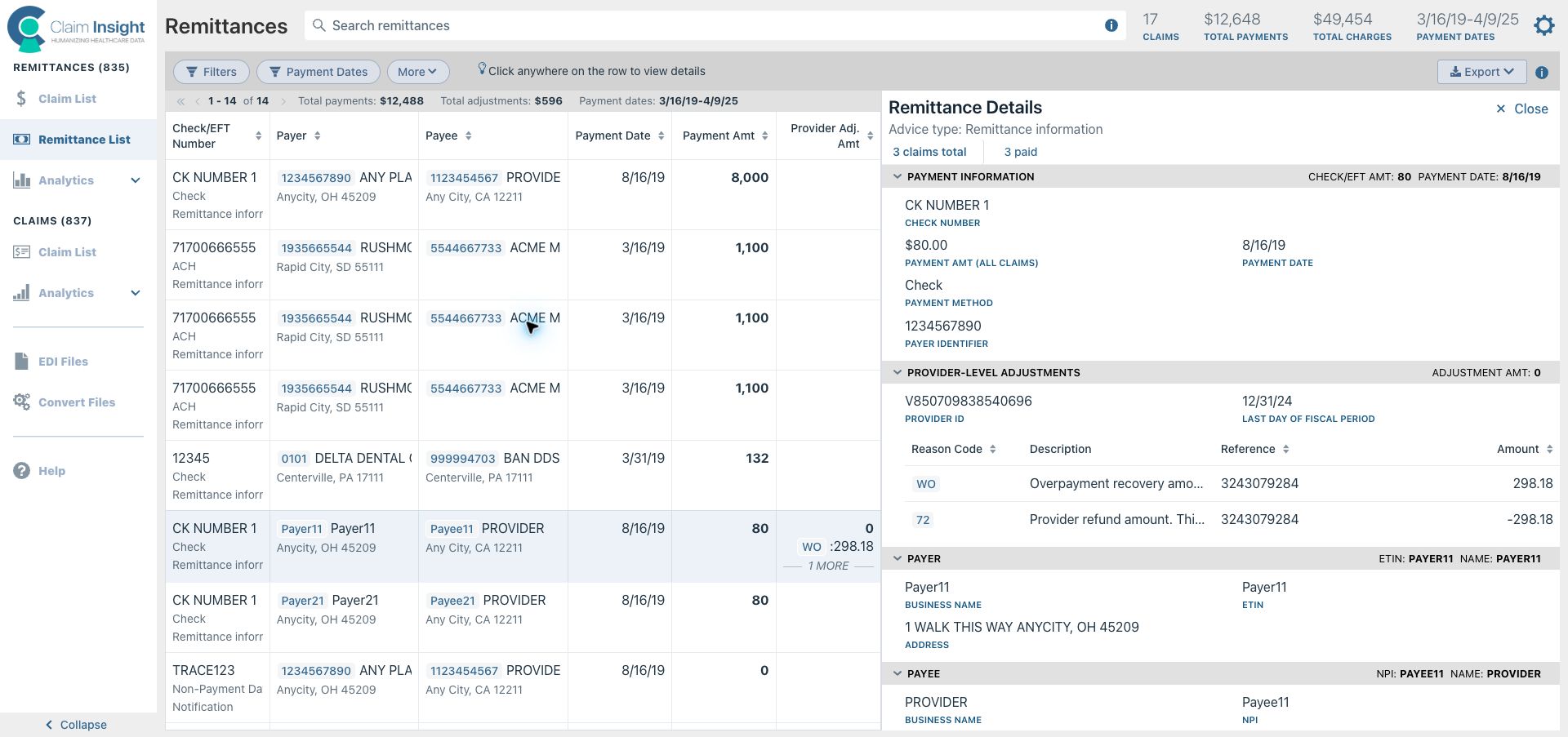
Go from a payment to the claims behind it. The new Remittances view brings your 835 payments and provider-level adjustments into one searchable list, so you can investigate a remittance without opening files one by one.
- Find the right remittance. Search by payer, payee, check/EFT number, remittance type, or payment method. Filter by dates, amounts, or source file.
- Focus your follow-up. Find remittances with denied claims or reversals, or search provider adjustment reason codes such as
code:WOfor overpayment recovery. - Explore claim statistics. See counts of paid claims, denials, reversals, and other statuses. Click a count to open the corresponding claims.
- Understand adjustments. Review provider-level reason codes, descriptions, references, and amounts alongside payment details—without decoding raw EDI.
- Export for reconciliation. Download remittances and provider adjustments in CSV or Excel for further analysis and reporting.
Improved File List View with New Filters
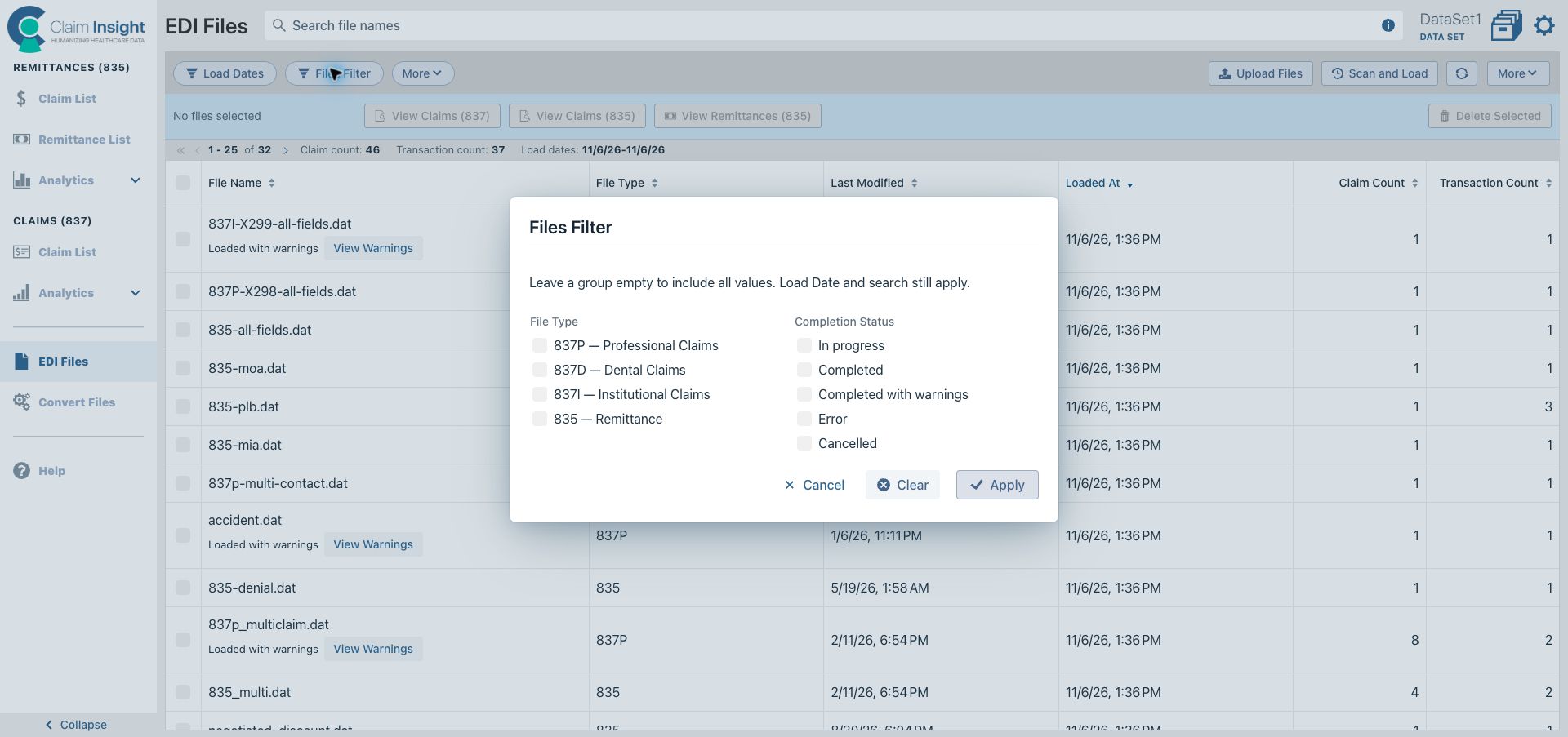
Find the files you need faster with new file type and completion status filters. Combine them with load dates and text search to isolate a batch or spot files with warnings or errors.
Select files and jump directly to their claims or remittances to continue your review.
835 Analytics by Procedure Category
You can now filter 835 paid claims by procedure category to see payments for a particular type of service, such as office/outpatient services, emergency department services, general laboratory, or musculoskeletal services.
The dashboard also adds Procedure categories by total payments, showing how payments are distributed across service types so you can quickly identify where most of your payments come from.
Other Changes
- Improved search for
837claims and835adjudicated claims. - Faster sorting on large datasets.
- New help and Claim Insight documentation to guide you through finding claims, reviewing payments, and exporting results.