Export 837 Claims to CMS-1500 and UB-04 PDFs
You can now export professional and institutional claims from X12 EDI to PDF in the familiar CMS-1500 and UB-04 layouts. PDF export is available in our public EDI Viewer and in all our interactive 837P and 837I examples on the site. It will be available in Claim Insight too.
From EDI to a familiar claim form
EDI is useful for exchanging structured claim data, but sometimes you want to review a claim in the form layout you already know. PDF export fills the form from the claim’s EDI data, so you can save, print, or share a readable copy without retyping the information.
- Professional claims (837P) export to CMS-1500.
- Institutional claims (837I) export to UB-04.
The generated forms include patient and subscriber information, billing provider details, diagnoses, charges, and service lines, along with other supported fields present in the source claim. The PDF provides a form-based view of the claim; the EDI view remains available for details that do not have a place on the paper form.
Try it on an example
Open our professional claim with commercial insurance, then:
- Find the Claim Details section.
- Open Export.
- Choose CMS-1500 Form (PDF).
For an institutional claim example, choose UB-04 Form (PDF) from the same menu. You can also open your own 837P or 837I file in the public EDI Viewer and export an individual claim.
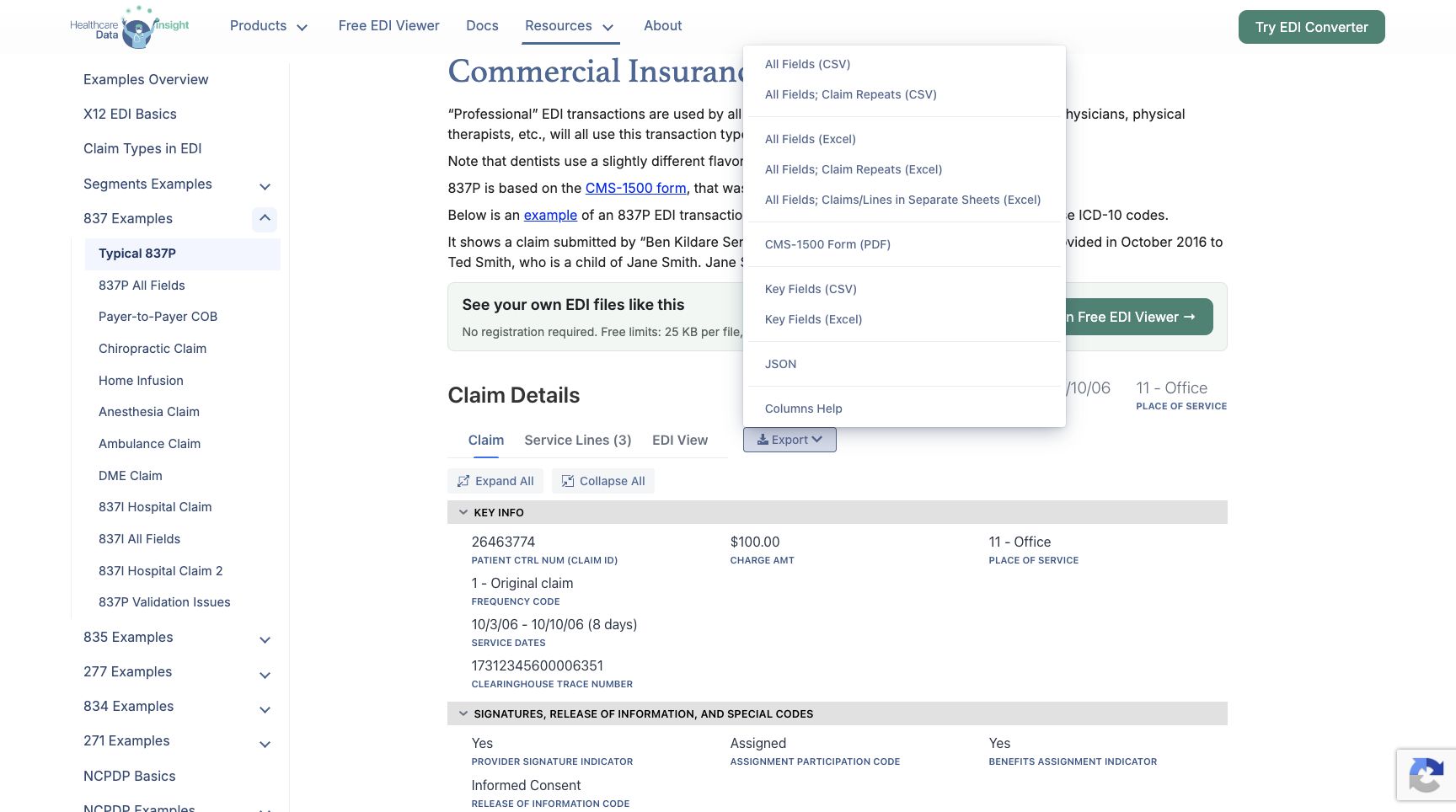
CMS-1500 export in the live professional claim example. Institutional examples offer the corresponding UB-04 option.
Download an EDI file and its generated CMS-1500
To see the input and output side by side, download this comprehensive professional test claim and the PDF generated from it:
This is a separate, more detailed sample than the commercial-insurance example shown above. It contains claim 36463774, with eight service lines totaling $250.00. The CMS-1500 has six service-line rows, so this example produces two pages: six lines on the first page and two on the second. The total charge appears on the final page.
The sample includes subscriber and other-insurance information, provider details, phone numbers, diagnoses, and service-line data. The generated PDF fields are read-only, preserving the exported values for review.
Start with an interactive example or open the EDI Viewer to try PDF export with your own claim.